| Campaigns should never be deleted if you wish to retain the training data. Always use the filters to access the relevant campaign data. It is ok to delete test campaigns, pilot campaigns, campaigns created while training administrators, or any campaign that you do not wish to retain the data for. |

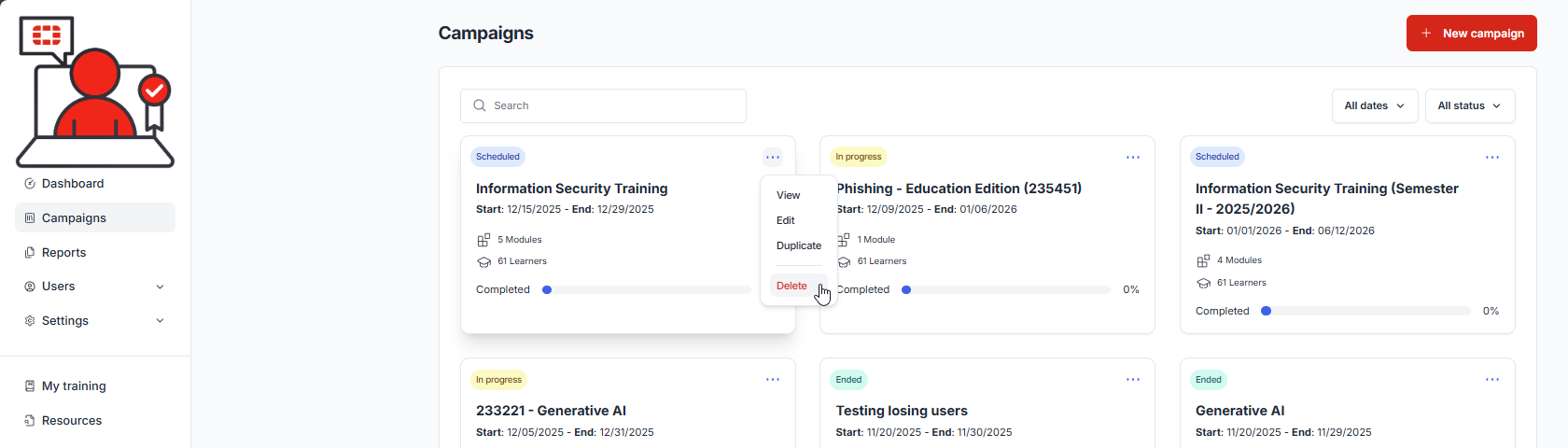
1.) Select Campaigns from the navigation menu, filter the campaigns to access the desirable campaign, then mouse over the campaign and select the three dots in the upper right hand corner and select Delete:
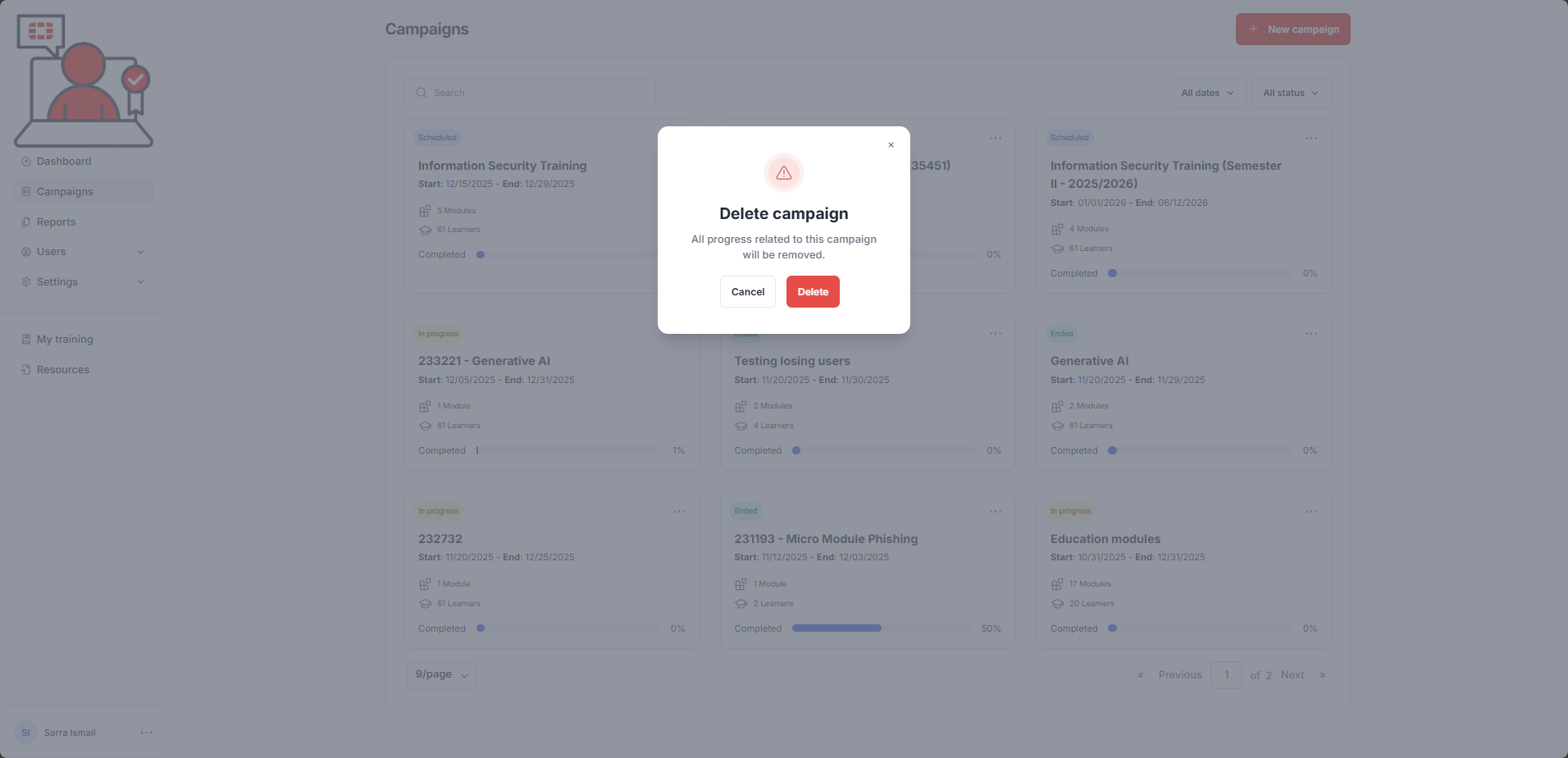
A confirmation dialogue is presented:
Was this article helpful?
That’s Great!
Thank you for your feedback
Sorry! We couldn't be helpful
Thank you for your feedback
Feedback sent
We appreciate your effort and will try to fix the article