Granting Access to Assets
This setting grants all users access to the available assets (in the learner experience).
Granting Access to Assets
1.) From the Settings navigation menu item, select the Admin Settings sub-menu item, then select the Assets access option button to enable or disable the Resources navigation menu item for learners:
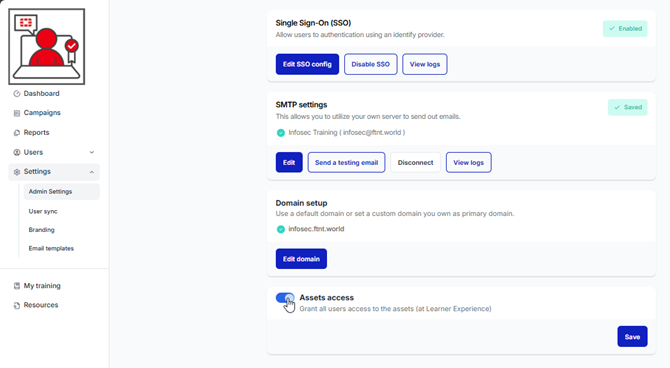
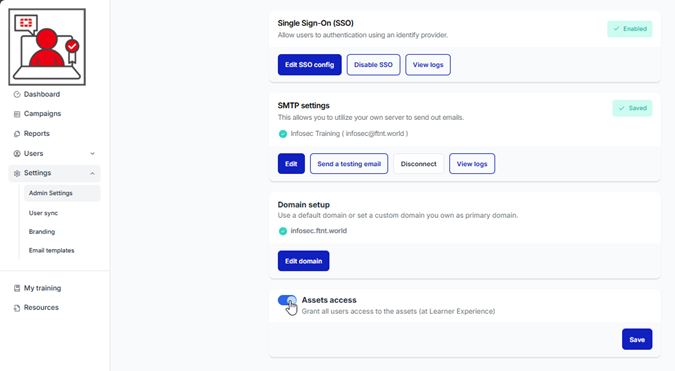
2.) Click on the Assets Access toggle switch at the bottom of the page, then click the Save button:
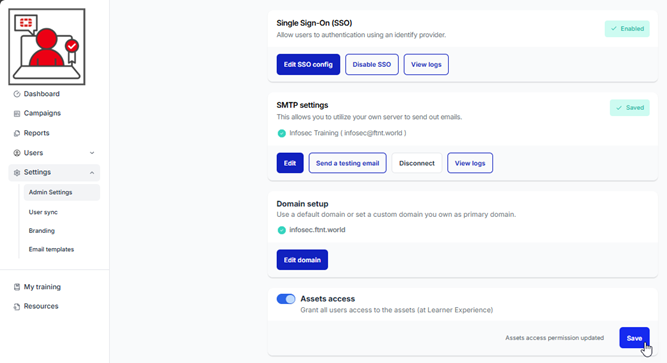
An Assets access permission updated message is presented:
Refer to this section to learn more about Resources content.
Was this article helpful?
That’s Great!
Thank you for your feedback
Sorry! We couldn't be helpful
Thank you for your feedback
Feedback sent
We appreciate your effort and will try to fix the article