The brand color is used to match the button color throughout the service to a color of your choice. Typically, customers use one of the hex codes from their logo. These can be obtained by using an eyedropper application, or, by getting the official color hex codes from your marketing department.
1.) From the Settings navigation menu item, select the Branding sub-menu item:
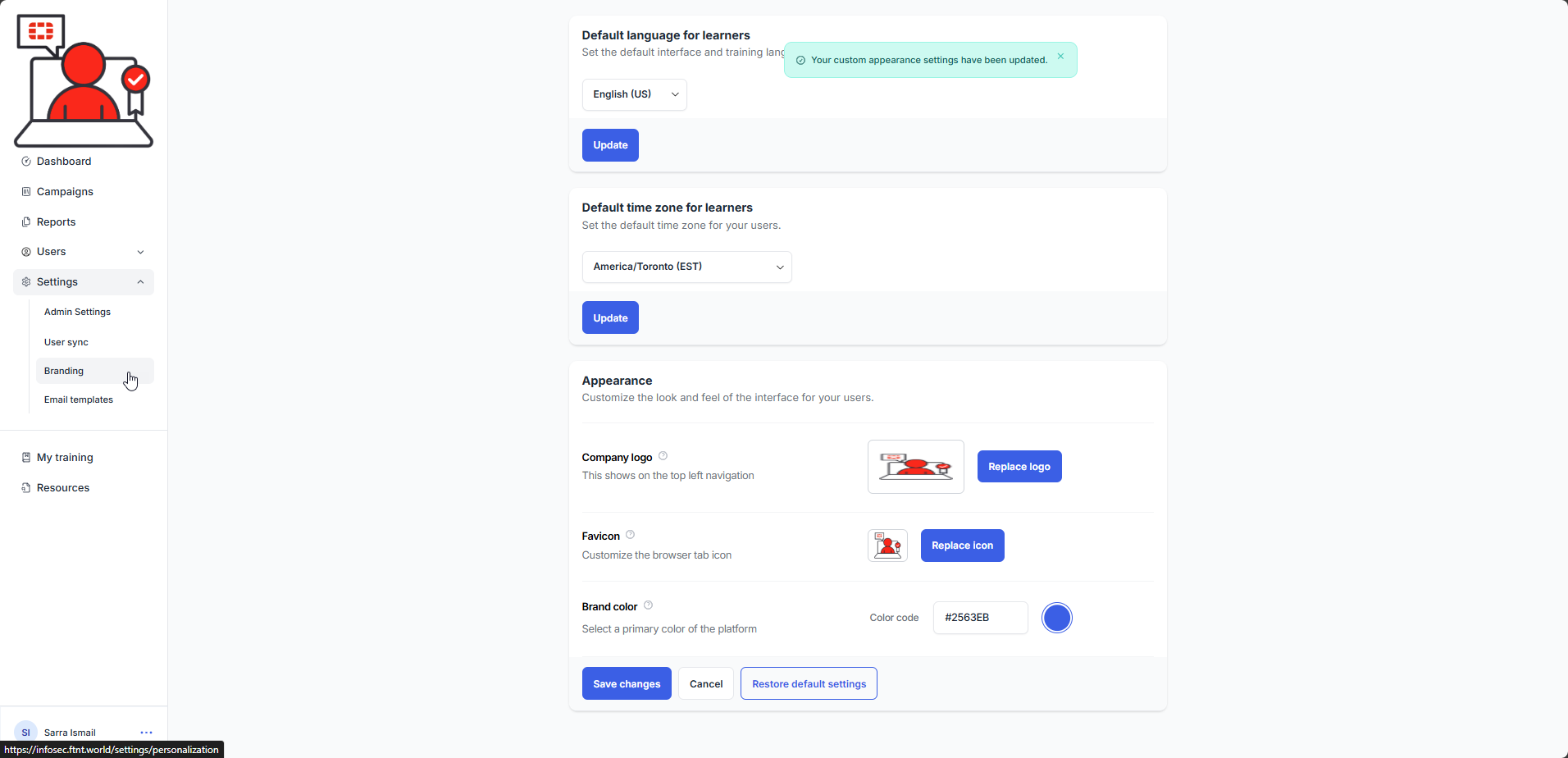
2.) Scroll down to the Appearance section and modify the Color code field to represent the hex code for the desired highlight color. Select the Save changes button. The brand color is updated and a confirmation message is displayed:
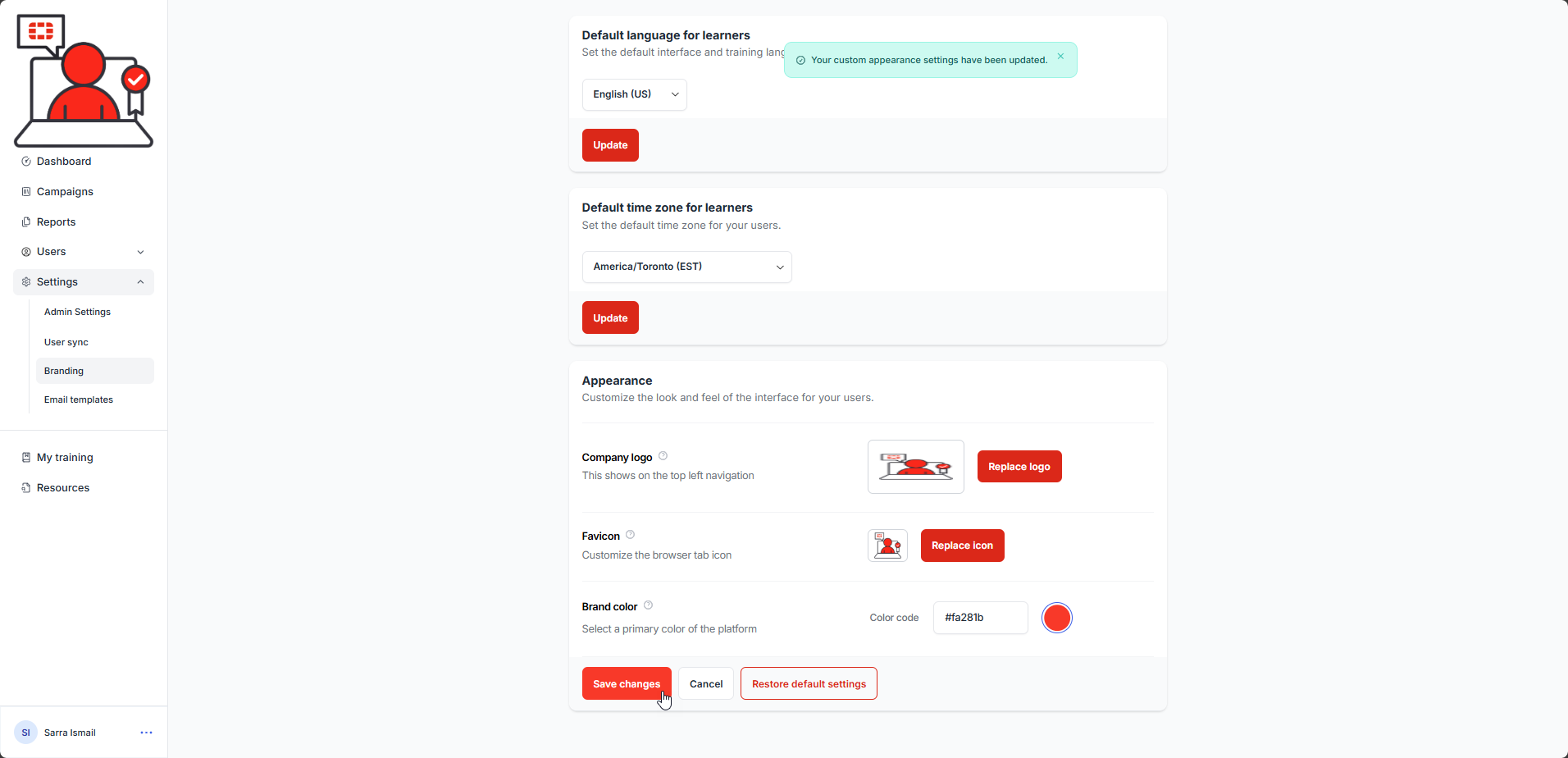
If you wish to reset the color and branding to deffault, select the Restore default settings button.
Was this article helpful?
That’s Great!
Thank you for your feedback
Sorry! We couldn't be helpful
Thank you for your feedback
Feedback sent
We appreciate your effort and will try to fix the article