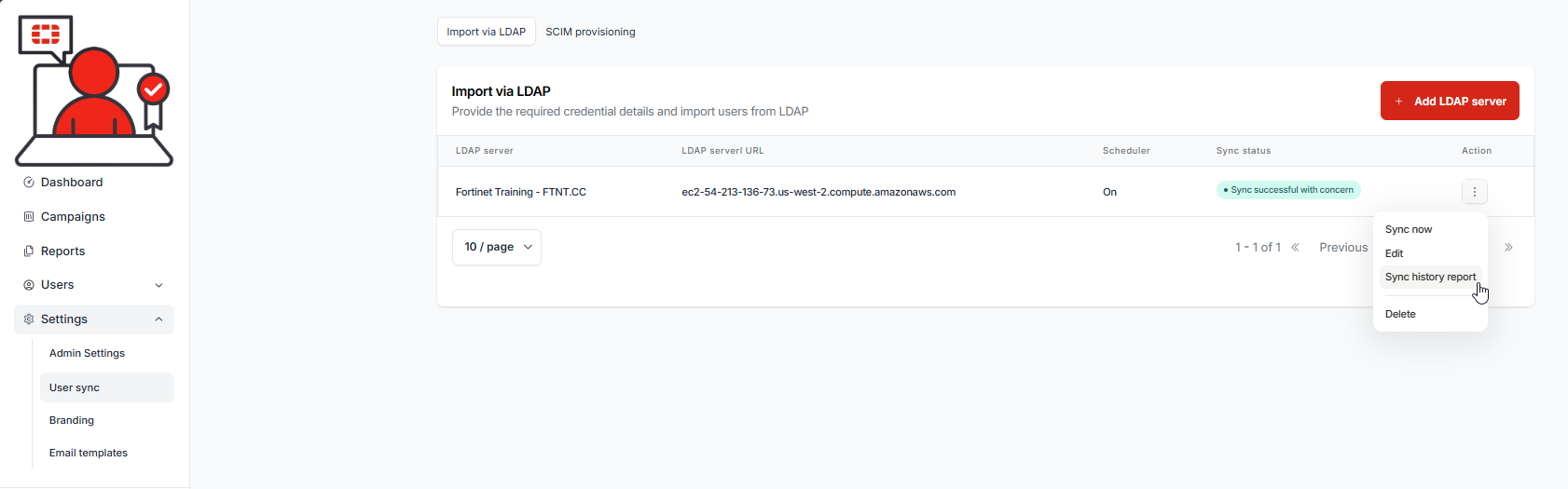
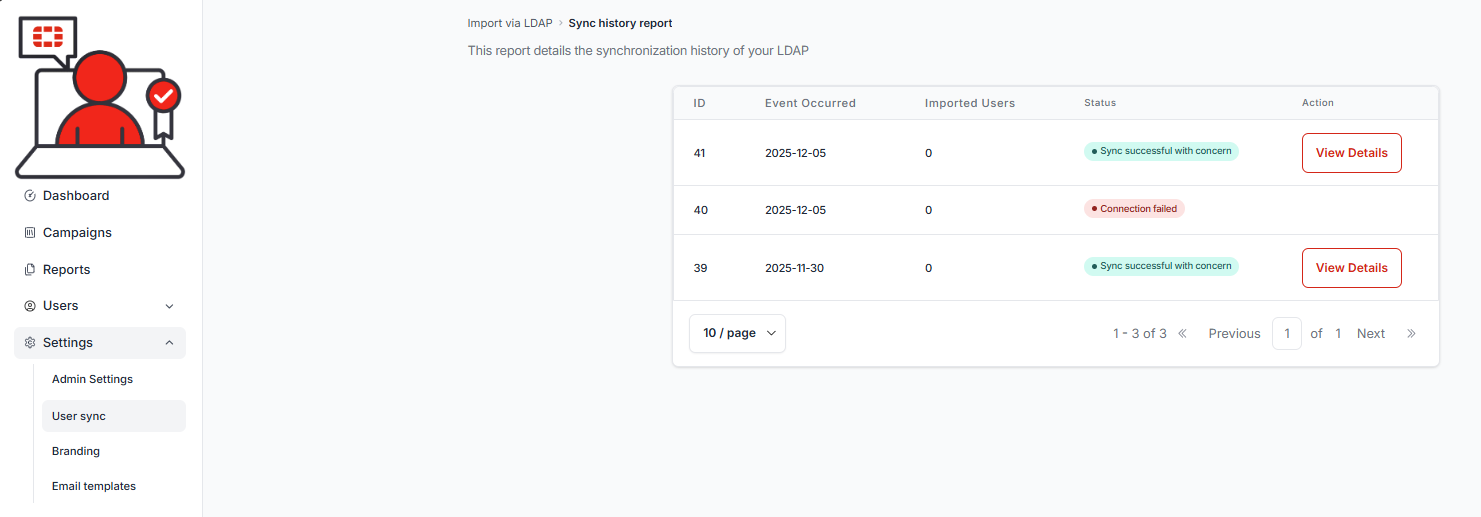
1.) Select the Action button to the right of the endfry, then select the Sync history report:
The Sync history report history is displayed:
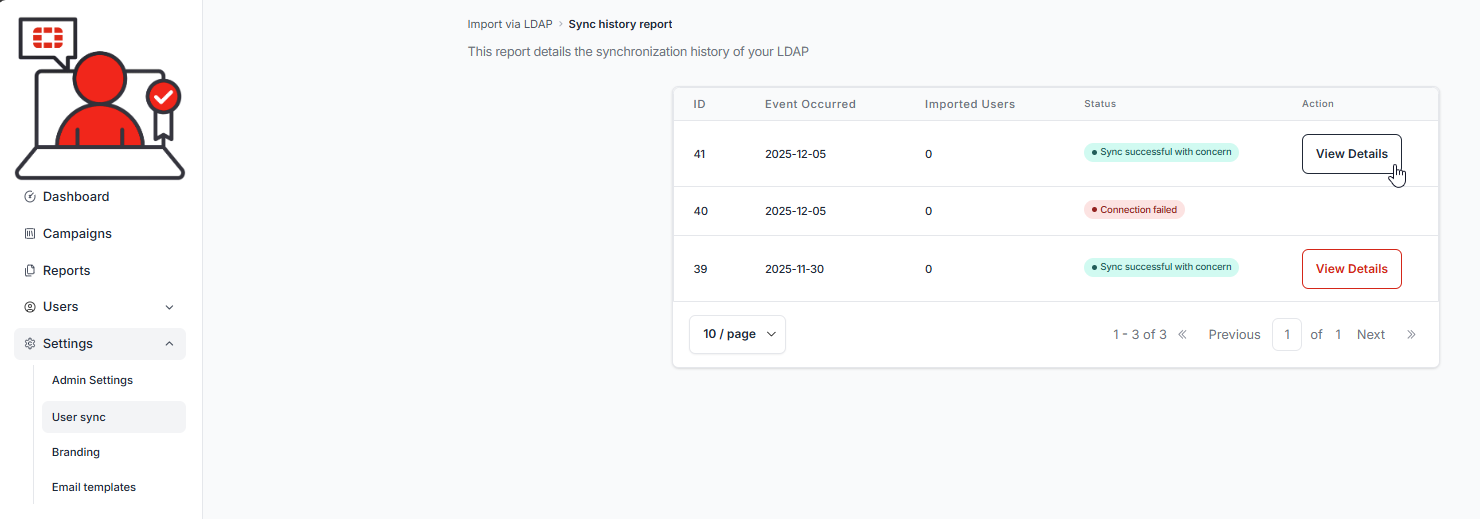
2.) Select the View Details button next to the most recent (first) entry in the event list:
The report details are displayed:
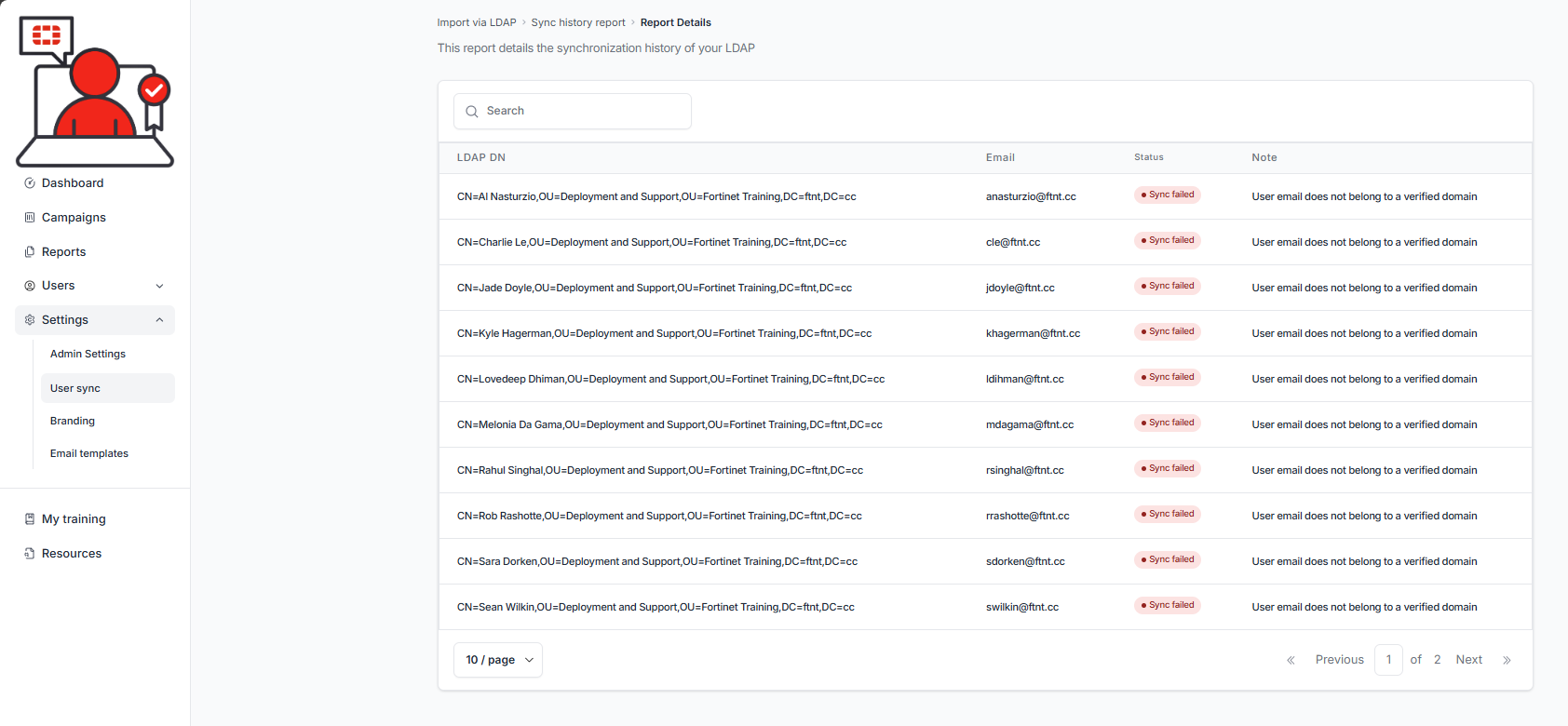
You will need to take corrective action depending on the note provided in the report.
| The synchronization of users can take some time, depending on the number of users. Weekly LDAP synchronization is run according to the settings above. If users do not synch within 24 hours, open a ticket by sending an email to infosec_awareness@fortinet.com |

Was this article helpful?
That’s Great!
Thank you for your feedback
Sorry! We couldn't be helpful
Thank you for your feedback
Feedback sent
We appreciate your effort and will try to fix the article